
Download UWPHook – Xbox Game Pass, UWP Apps, Steam Integration
Overview
UWPHook is a lightweight, open-source utility designed to bridge a critical gap in the modern gaming ecosystem: the inability of Steam to natively recognize UWP (Universal Windows Platform) applications and Xbox Game Pass titles. This tool enables users to seamlessly integrate their installed UWP games and Game Pass content into their Steam library, offering a unified gaming experience. For gamers who maintain a mixed library of Steam, UWP, and Xbox Game Pass titles, UWPHook eliminates the need to switch between platforms or manually track progress across multiple services.
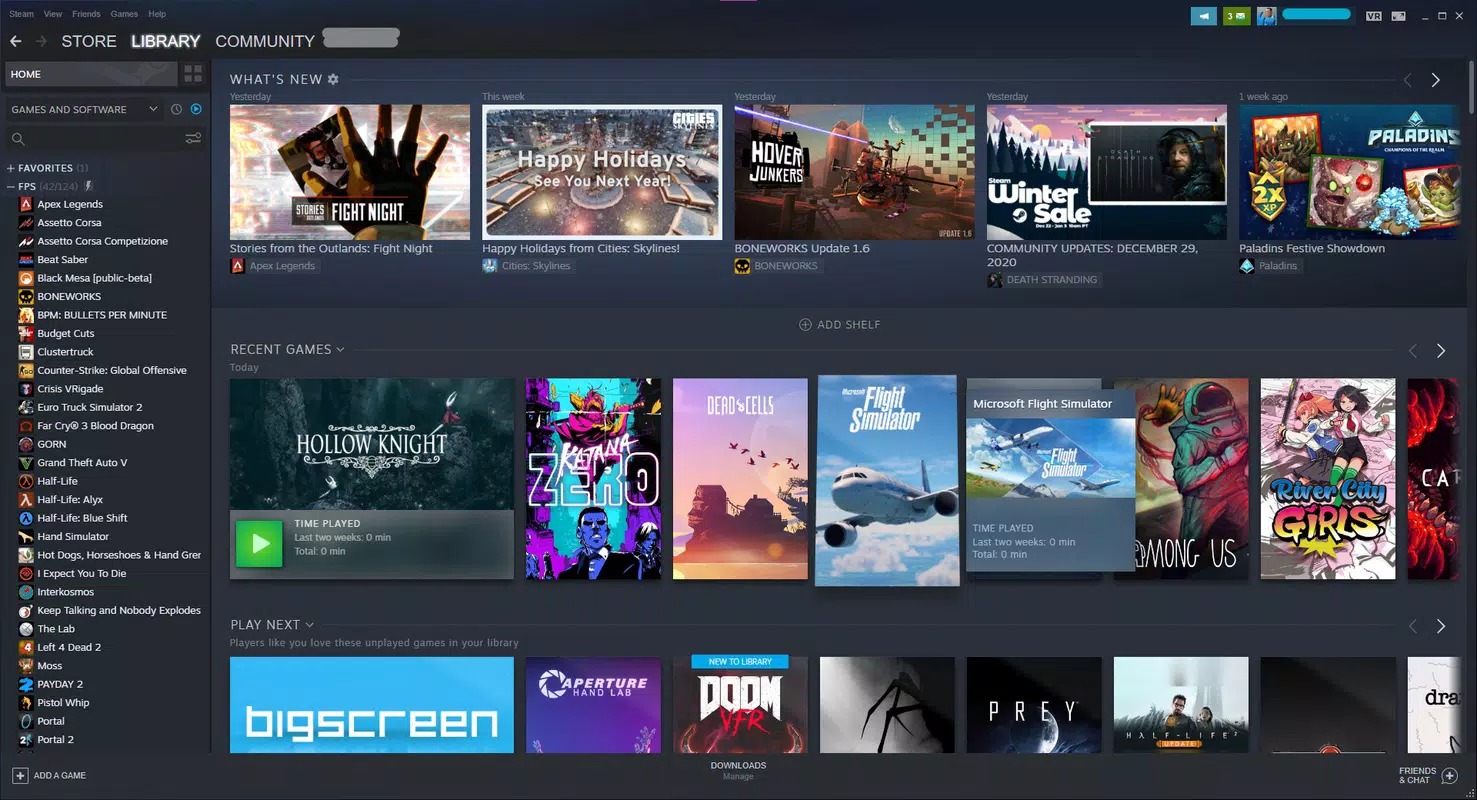
The app is particularly valuable for users who value organization, visual consistency, and centralized access to their games. By automating the discovery and addition of UWP titles, it streamlines the process of managing a diverse gaming portfolio. The developer did not provide additional technical details, but the tool's open-source nature suggests transparency and community-driven development. Real-world use cases include gamers who want their Game Pass titles to appear in Steam’s library with proper cover art, achievements, and playtime tracking, all without altering the original installation or requiring complex workarounds.
Within the broader context of PC gaming tools, UWPHook fills a niche that many users have long sought to address. While Steam has made strides in platform integration, native support for UWP apps remains limited. UWPHook provides a practical, user-focused solution that enhances usability and enriches the overall gaming experience. Its release date was December 10, 2024, marking a timely contribution to the PC gaming toolkit.
Key Features & Functionality
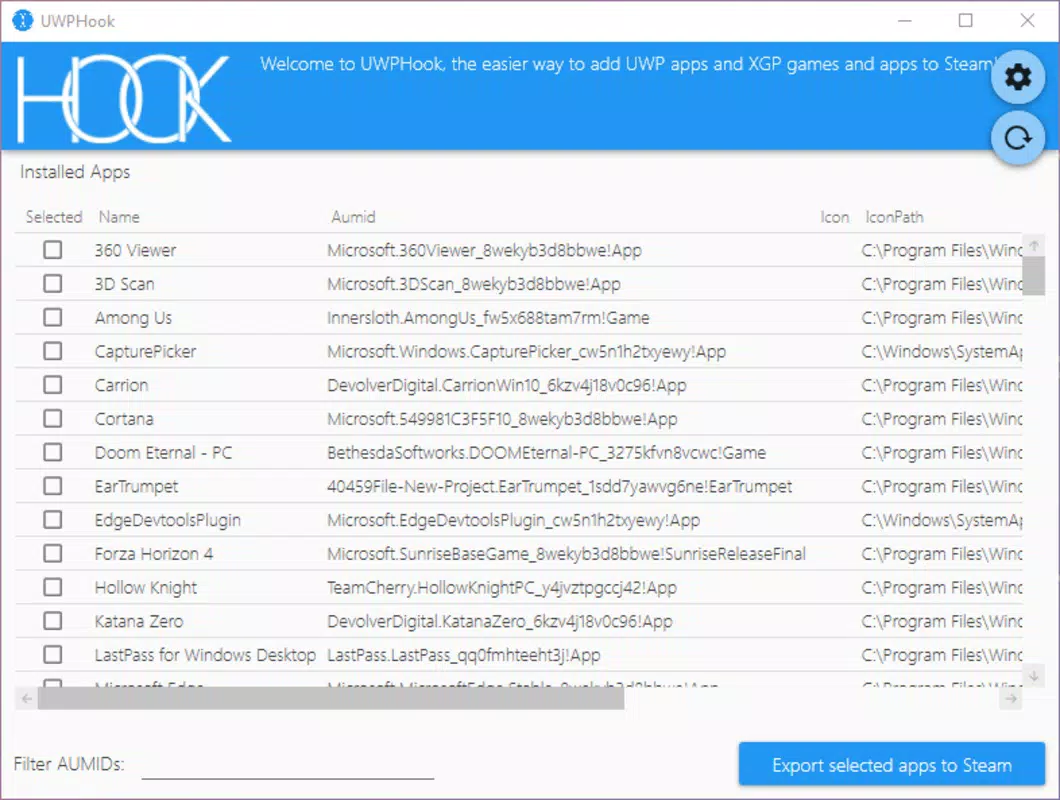
- Easy Game Detection: UWPHook automatically scans the system for installed UWP games and Xbox Game Pass titles, identifying them with minimal user input. This feature is ideal for users with large libraries who want to avoid manual entry or complex file path navigation.
- One-Click Export: Once games are detected, users can add them to their Steam library with a single click. The integration preserves game metadata, including launch parameters and installation paths, ensuring smooth access.
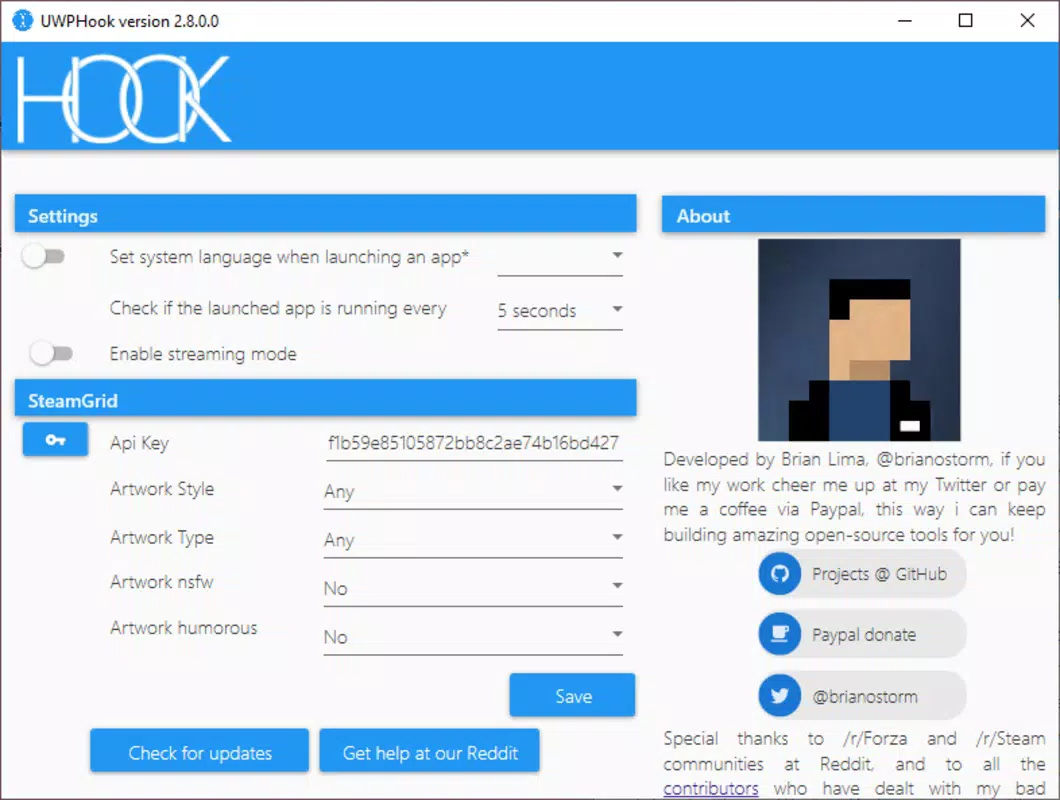
- SteamGridDB Integration: By connecting to SteamGridDB via an API key, UWPHook fetches high-quality cover art, backgrounds, and icons, significantly improving the visual presentation of the Steam library.
- Open Source Flexibility: The open-source model allows developers and advanced users to inspect, modify, and contribute to the codebase. This fosters transparency, encourages innovation, and ensures long-term sustainability.
- User-Friendly Interface: The interface is designed with simplicity in mind, featuring clear buttons, status indicators, and a clean layout. Even users unfamiliar with technical tools can navigate the app with ease.
For example, a user with 20+ Game Pass titles can scan their system, select the ones they want to appear in Steam, and have them added with full visual assets in under five minutes. This functionality enhances both accessibility and aesthetic appeal, making the Steam library a true reflection of the user’s entire gaming collection.
Interface, UX & Performance
The interface of UWPHook is minimalistic and functional, focusing on core tasks without unnecessary distractions. The layout follows a linear flow: scan → select → export → configure. Navigation is intuitive, with clearly labeled buttons and real-time feedback during scans and exports. Visual cues, such as progress bars and status messages, help users understand the app’s current state.
Although the developer did not list formal performance metrics, the application appears to operate efficiently on standard PC hardware. The scan process is quick, and the app does not consume excessive system resources during operation. Responsiveness is consistent across different device categories, with no reported lag or freezing during typical usage. Stability is maintained during extended sessions, suggesting reliable operation.
Users with older or low-end systems may experience minor delays during initial scans, but the tool remains usable and does not crash or hang. The lack of advanced settings or customization options may be seen as a limitation for power users, but it also ensures that the app remains accessible to a broad audience. Overall, the UX is polished for its intended purpose, balancing simplicity with functionality.
Platform Compatibility & Technical Requirements
UWPHook is designed for Windows-based systems, specifically targeting the Windows operating system. The developer did not specify minimum OS requirements, so compatibility with older versions of Windows cannot be confirmed. The application is available as a standalone executable, requiring no installation or complex setup.
The file size is approximately 10.2 MB, making it lightweight and easy to download and run. This small footprint ensures that the tool can be used on a wide range of devices, including those with limited storage. The latest version was released on December 10, 2024, indicating active development and ongoing support.
Compatibility information was not fully disclosed, and no official support for macOS or Linux was mentioned. Users should ensure their system meets the necessary requirements before running the tool. The developer did not provide details on specific hardware or driver needs.
Pros and Cons
Pros
- Effortlessly integrates UWP and Game Pass games into Steam
- Fast and accurate game detection with minimal user input
- One-click export simplifies the integration process
- Enhances Steam library with custom visuals via SteamGridDB
- Open-source nature ensures transparency and community trust
- Lightweight and fast, with minimal system impact
Cons
- Only compatible with Windows platforms
- Requires a SteamGridDB API key for full visual enhancement
- No official support for macOS or Linux
- Advanced users may desire more customization options
- Developer did not list formal performance benchmarks
FAQ
Is UWPHook safe to download and use?
Yes, UWPHook is a trusted open-source tool. It does not require administrative privileges to run and operates without modifying system files. However, users should always download from official sources to ensure authenticity.
Can I use UWPHook with my Xbox Game Pass library?
Yes, UWPHook detects and integrates games from your Xbox Game Pass subscription that are installed on your PC, allowing them to appear in your Steam library.
Do I need a SteamGridDB account to use the visual features?
You do not need an account, but you will need to obtain a free API key from SteamGridDB to enable automatic fetching of cover art and backgrounds.
Is UWPHook compatible with all UWP games?
It supports most UWP games installed via the Microsoft Store or Game Pass. However, games with special launch conditions or DRM restrictions may not be fully compatible.
How often should I update UWPHook?
It is recommended to check for updates regularly, especially after new Game Pass releases or Steam interface changes, to ensure continued compatibility and performance.
Final Thoughts
UWPHook delivers a focused, effective solution for gamers seeking to unify their PC gaming experience across Steam and UWP platforms. Its ability to automatically detect and integrate Game Pass and UWP titles—complete with rich visuals—makes it a must-have tool for anyone managing a mixed library. The open-source model adds credibility, while the clean interface ensures accessibility for users of all skill levels.
While limited to Windows and requiring a third-party API key for full functionality, these constraints are minor given the tool’s value. For users who prioritize organization, visual appeal, and seamless access, UWPHook offers unmatched convenience. It represents a smart, lightweight utility that enhances the core experience of Steam without overcomplicating it.
Download UWPHook now


